How to whitelist in Gmail
(updated for 2025)
First of all, check your spam folder for any messages from our address [email protected], if they ended up there by mistake it is very important you mark them as "not spam". Check step 4 on this page for more details.
When you add our email [email protected] to your contacts, it tells Google you want to receive emails from us. This method does not guarantee that our messages won't be sent to spam, but it's a start. For a more reliable method, follow step 3.
On your computer, go to contacts.google.com
At the top left corner, select Create contact.
Enter "Soulful Selling" in the First name field and "[email protected]" in the email field.
Then select Save in the top right corner.
On your Android phone or tablet, open the Contacts app.
At the bottom right, tap Add.
Enter "Soulful Selling" as the name and "[email protected]" as the email.
Make sure you save the contact to the correct account. Next to your email account, tap the Down arrow and then select the account that will receive our emails.
When you're finished, tap Save.
Setting up a Gmail filter rule is the best way to prevent emails from a specific email address from going to your spam folder. Filters can only be created and modified from the online web version of Gmail, so you'll need to go to your computer to complete the following.
- 1. Open the Gmail website from your computer
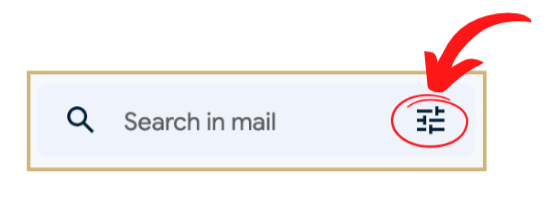
- 2. Click on the Search Options Icon on the right side of the main search box at the top. This looks like a settings icon within the main search bar. Look image below:
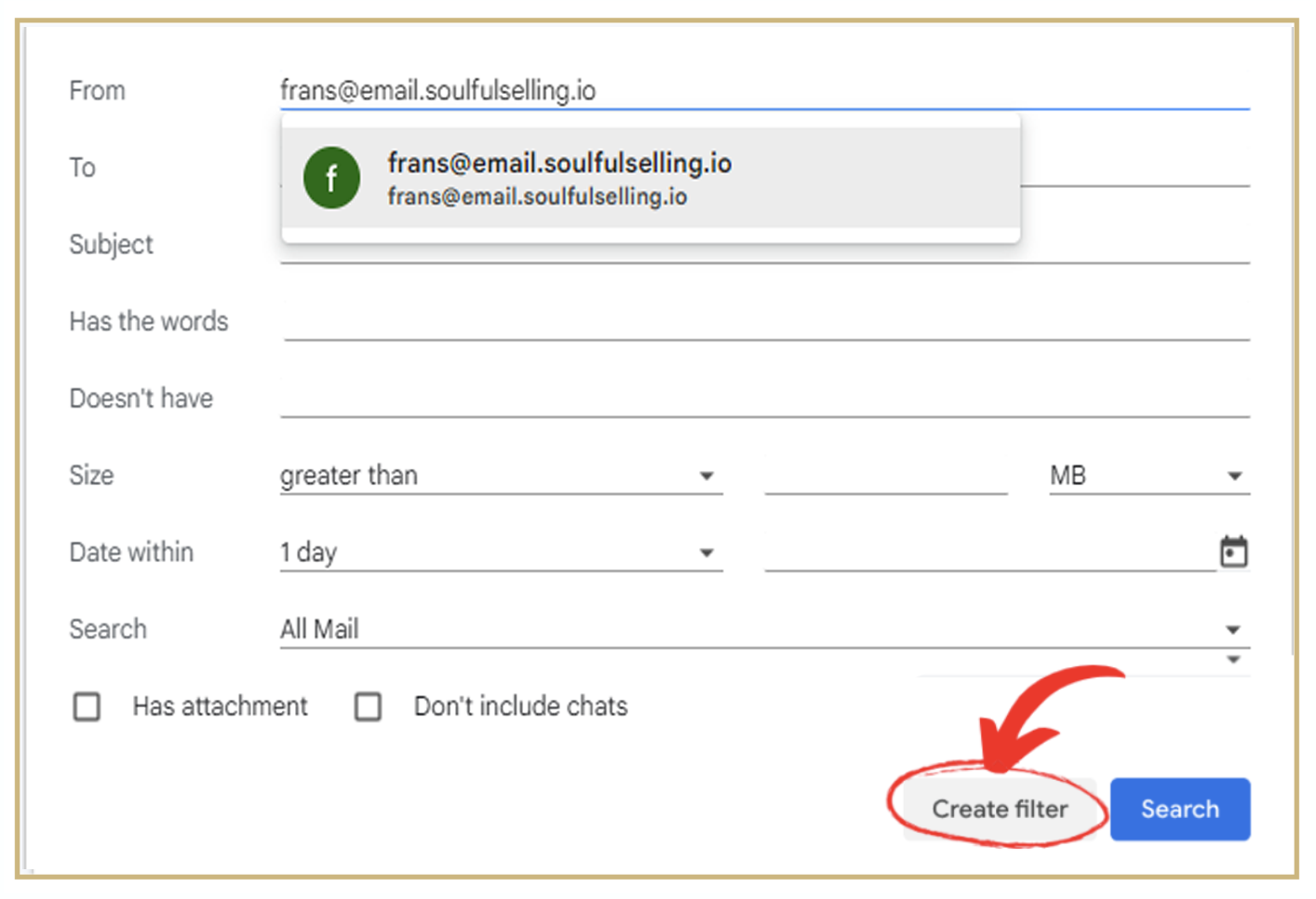
- 3. Enter "[email protected]" in the From field.
- 4. At the bottom of the search window, click Create filter.
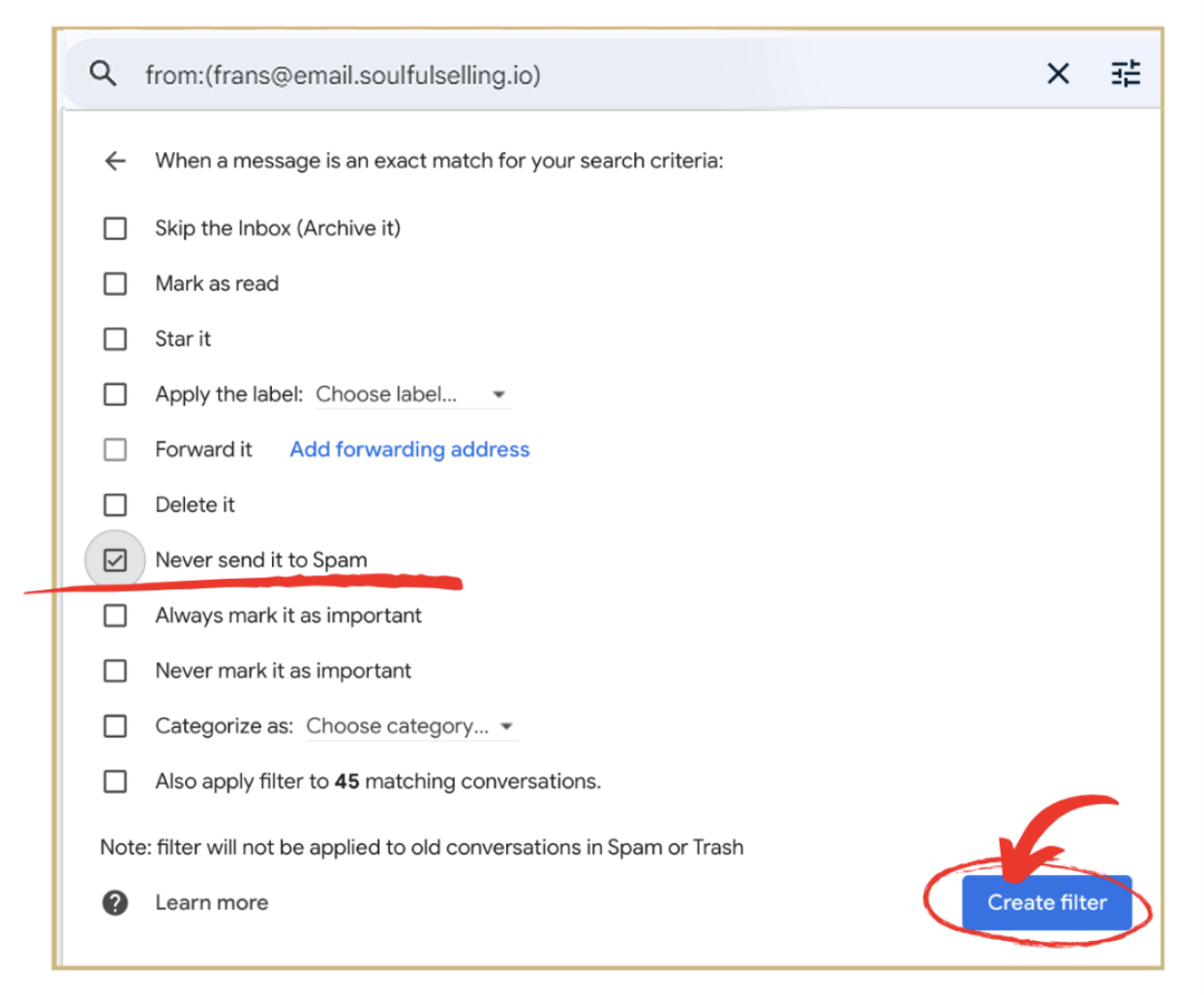
- 5. Select Never send it to Spam.
- 6. Click Create filter.
If a desired email message arrives in your spam folder, you can remove it from Spam and send a signal to Gmail that you want to receive that type of email in your inbox in the future. This method doesn't guarantee messages from that sender won't end up in spam in the future, but it is an easy way to move the email to your inbox and train Gmail at the same time.
- 1. On your computer, open the Gmail website
- 2. On the left, select Spam
If you don't see Spam, select More then find Spam - 3. Open the desired email message
- 4. At the top of the page, select Not spam
The message will be moved to your inbox.
Thank you for following these steps ❤
Still, need help with whitelisting?
Write us at [email protected]